

Author: Ray Publish Time: 2026-08-17 Origin: Site
Wondering how do I put on a screen protector without bubbles, dust, or crooked edges? This step-by-step guide explains how to clean your phone screen, align the protector, install tempered glass correctly, and fix common installation problems. We also cover useful tips for achieving a clean, professional-looking result.
A screen protector is one of the simplest ways to help protect a smartphone display from scratches, fingerprints, and everyday wear.
However, even a high-quality screen protector can look bad if it is installed incorrectly.
Dust under the glass, trapped air bubbles, fingerprints, and poor alignment are some of the most common problems people experience during installation.
So, how do you put on a screen protector correctly?
The key is preparation.
Below, we explain the complete process step by step.
Before you start, prepare the following items:
· Screen protector
· Microfiber cleaning cloth
· Wet cleaning wipe
· Dry cleaning wipe
· Dust removal sticker
· Alignment stickers or installation frame
· Plastic card or squeegee
Some screen protector kits already include these accessories.
For the best result, work in a clean, well-lit area with as little dust as possible.
Before touching the screen protector or your phone, wash and dry your hands.
Oil, dust, and fingerprints from your fingers can easily transfer onto the phone screen or the adhesive side of the protector.
Try to hold the screen protector only by its edges during installation.
Cleaning the screen properly is one of the most important parts of screen protector installation.
Start with the wet wipe to remove:
· Fingerprints
· Oil
· Dirt
· Smudges
· Other surface contaminants
Next, use a dry wipe or microfiber cloth to dry and polish the screen.
Look at the phone from several angles under good lighting.
The screen should be completely clean before moving to the next step.
Even tiny dust particles can create visible bubbles under a screen protector.
Use a dust removal sticker to gently pick up any remaining particles.
Do not blow directly onto the phone screen because moisture and additional particles may land on the display.
Take your time with this step.
A clean surface makes it much easier to achieve a bubble-free installation.
Image Alt Text: How to put on a screen protector correctly on a smartphone
Before removing the protective backing, place the screen protector over the phone and check its position.
Pay attention to the:
· Front camera
· Speaker
· Sensors
· Screen edges
· Buttons or home button openings
· Rounded corners
If your screen protector includes an installation frame, attach the frame to the phone according to the instructions.
An alignment frame can make the installation process easier and reduce the risk of applying the protector crooked.
Once you know the correct position, carefully peel off the protective film covering the adhesive side.
Try not to touch the adhesive.
Fingerprints or dust on the adhesive layer may remain visible after installation.
Hold the screen protector by its edges as you position it above the phone.
Now carefully align the screen protector with the phone.
When the edges, camera openings, and speaker areas are correctly positioned, slowly lower the protector onto the display.
Do not push the entire protector down immediately.
For many tempered glass screen protectors, you can gently press the center once the protector is aligned.
The adhesive will begin spreading naturally across the screen.
After installation, you may notice some small air bubbles.
Use your finger, a microfiber cloth, or a plastic installation card to gently push the bubbles from the center toward the edge of the screen.
Do not apply excessive pressure.
Small air bubbles without dust underneath may disappear naturally after installation.
If a bubble does not disappear, there may be a dust particle trapped underneath.
If dust becomes trapped underneath the protector, do not immediately remove the entire screen protector.
Instead:
1. Carefully lift the nearest corner of the protector.
2. Use a dust removal sticker to pick up the particle.
3. Avoid touching the adhesive with your fingers.
4. Slowly lower the protector back onto the display.
5. Push any remaining air toward the edge.
This technique can often fix small dust bubbles without replacing the screen protector.
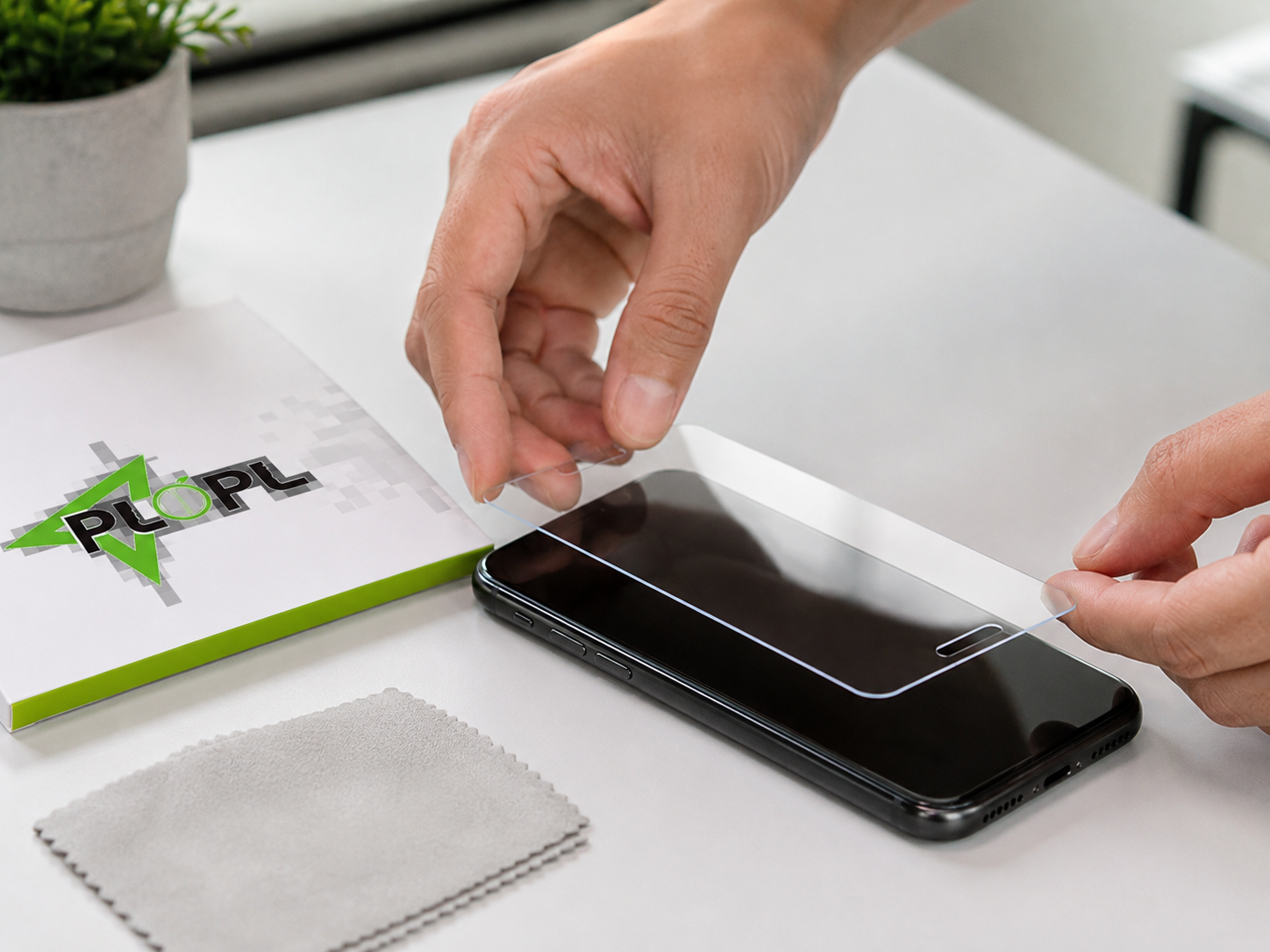
If you are wondering how to put on a tempered glass screen protector, the basic installation process is very similar.
Tempered glass is more rigid than a flexible plastic screen protector, so accurate alignment is especially important.
Follow these steps:
1. Clean the phone display thoroughly.
2. Remove all visible dust.
3. Test the protector alignment.
4. Remove the protective backing.
5. Hold the tempered glass by the edges.
6. Align the camera, speaker, and screen edges.
7. Slowly lower the glass onto the display.
8. Press gently in the center.
9. Push remaining bubbles toward the edges.
Avoid repeatedly lifting and repositioning tempered glass because dust may enter underneath and the adhesive performance may be affected.
If you want a bubble-free screen protector installation, focus on three things:
Most persistent bubbles are caused by dust rather than air.
Make sure the display is clean before applying the protector.
Check the position before the adhesive touches the screen.
Correct alignment reduces the need to lift and reposition the protector.
Lower the screen protector carefully instead of dropping it onto the phone.
This allows the adhesive to spread more evenly.
Dust can easily become trapped between the display and the screen protector.
Choose a clean installation area whenever possible.
Fingerprints on the adhesive surface can be difficult to remove.
Always handle the protector by its edges.
Rushing increases the chance of poor alignment.
Check the position carefully before allowing the protector to make full contact with the screen.
Repeated lifting may introduce dust or weaken the adhesive.
Try to get the alignment right on the first installation.
Tempered glass normally does not require excessive force.
Gentle pressure is usually enough to help the adhesive bond evenly.
Installation technique is important, but the design and quality of the screen protector can also affect the final result.
A properly designed screen protector should provide accurate dimensions, precise cutouts, consistent adhesive coverage, and good compatibility with the intended device.
At PLOPO, we focus on screen protector solutions designed for different device models, applications, and market requirements.
For wholesalers, distributors, retailers, mobile accessory businesses, and brands, selecting the right screen protector is not only about protecting the display. Product fit, appearance, functionality, packaging, and the overall customer experience can also influence purchasing decisions.
If you are sourcing screen protectors for your business, PLOPO can help you explore suitable screen protector solutions based on your requirements.
Depending on your project, requirements may include:
· Tempered glass screen protectors
· Privacy screen protectors
· Blue light screen protectors
· HD clear screen protectors
· Functional protective glass
· Different device models and sizes
· Custom packaging
· Private-label requirements
· Bulk purchasing requirements
Whether you are a distributor, wholesaler, retailer, brand owner, or mobile accessories supplier, choosing the right product specification can help you better serve your target market.
Tell the PLOPO team what you are looking for.
You can send us information such as:
· Device model
· Screen protector type
· Required function
· Estimated quantity
· Packaging requirements
· Target market
· Other customization requirements
Send your inquiry to PLOPO today and let us know your screen protector requirements. Our team can help you evaluate suitable options for your project.
CTA Button Recommendation:
Get a Custom Quote
Alternative button text:
Send Your Inquiry
Yes.
Most screen protectors can be installed at home as long as the phone screen is properly cleaned and the protector is aligned carefully.
An installation frame can make the process easier.
Yes, it is usually better to remove the case first.
This gives you easier access to the edges of the display and helps prevent the case from interfering with alignment.
After installation, reinstall the case and make sure it does not lift the edges of the protector.
Bubbles may be caused by trapped air, dust, poor alignment, or uneven adhesion.
Air bubbles can often be pushed toward the edge.
If the bubble contains dust, you may need to lift the protector slightly and remove the particle with a dust sticker.
Sometimes.
If the adhesive is still clean, the protector may be repositioned.
However, repeated removal can introduce dust and reduce adhesion, so replacing the protector may provide a better result.
The actual installation only takes a few minutes, but you should not rush.
Cleaning and dust removal are the most important parts of the process.
Taking a little more time before installation can help prevent bubbles and alignment problems.
If you have been wondering “How do I put on a screen protector?”, the process is straightforward when you follow the correct steps.
Remember to:
· Clean the display carefully
· Remove every visible dust particle
· Check the alignment first
· Avoid touching the adhesive
· Lower the protector slowly
· Push bubbles toward the edges
Good installation helps your screen protector look better and perform as intended.
For businesses looking for screen protector sourcing, wholesale supply, custom packaging, or specialized screen protector solutions, PLOPO is ready to discuss your project requirements.

